




WhatsApp only lets a business call customers who have allowed it. This article explains how to ask a customer for permission, what they see, and the limits WhatsApp sets on requests and calls.
Why you need permission
Customers can always call you. To call a customer, you need their permission first. This is a WhatsApp rule, and it applies to every business on WhatsApp.
Ask for permission
You can ask in two places:
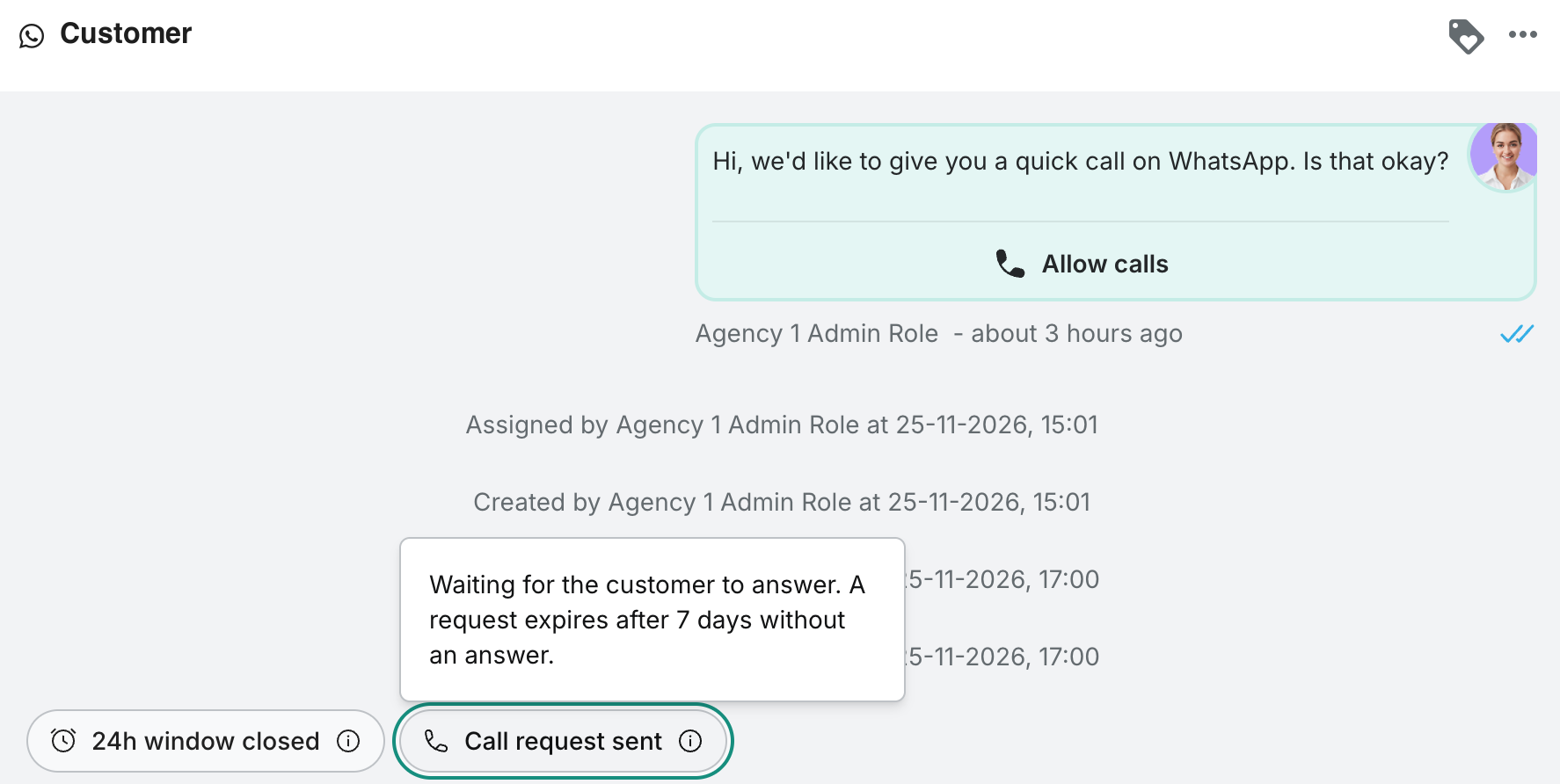
- On a WhatsApp ticket: use the call permission pill above the message box. Select a language and click Request permission.
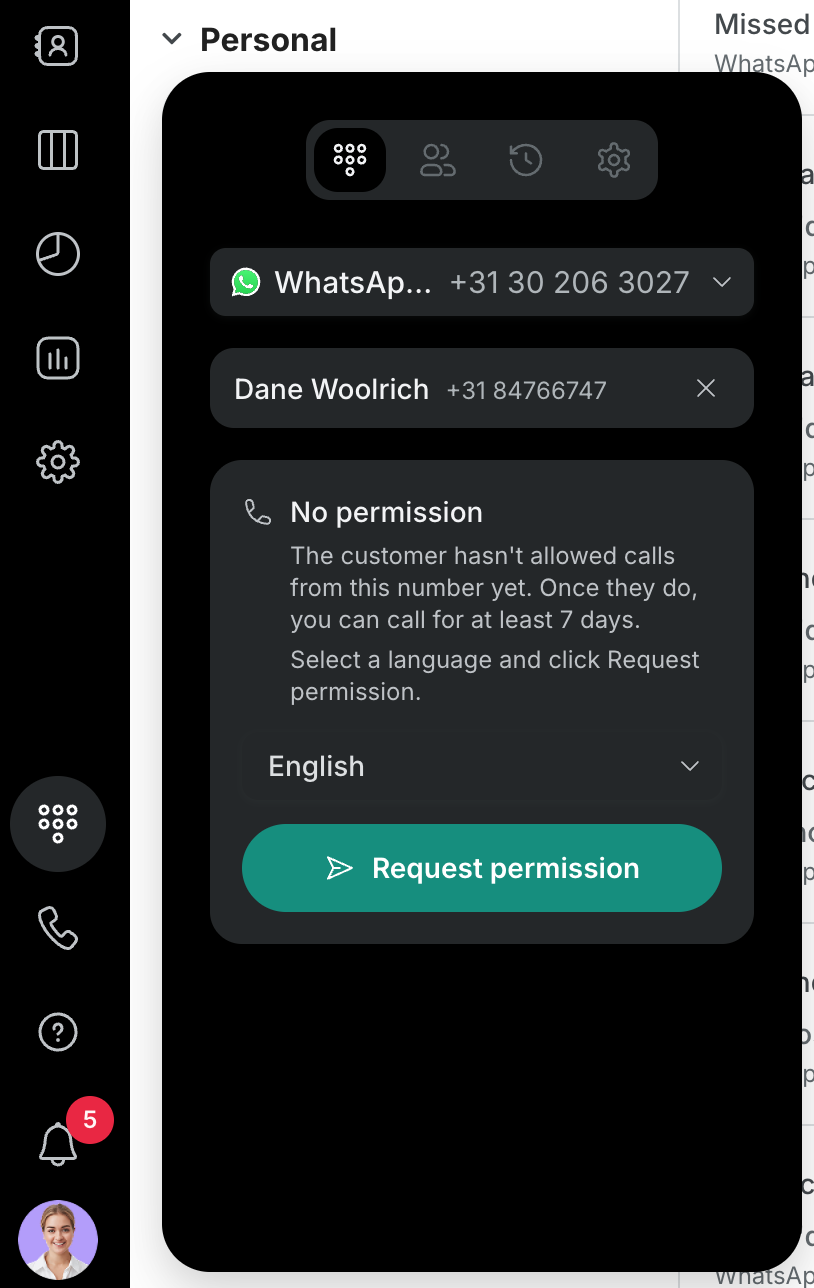
- In the Voice widget: search for the contact. If you see No permission, select a language and click Request permission. The request opens a new ticket, assigned to you.
The request is sent as a WhatsApp template. Trengo provides one in six languages: English, Dutch, German, French, Spanish and Portuguese. You can also use call permission templates you created yourself in Settings > WhatsApp templates, with Call permission request switched on.
What your customer sees
Your customer gets a short message asking if you may call them, with WhatsApp's own options below it, in the language of their app:
- Allow calls: permission with no end date. The customer can take it back at any time in WhatsApp.
- Temporarily allow calls: permission for 7 days.
- Not at this time: the customer declines.
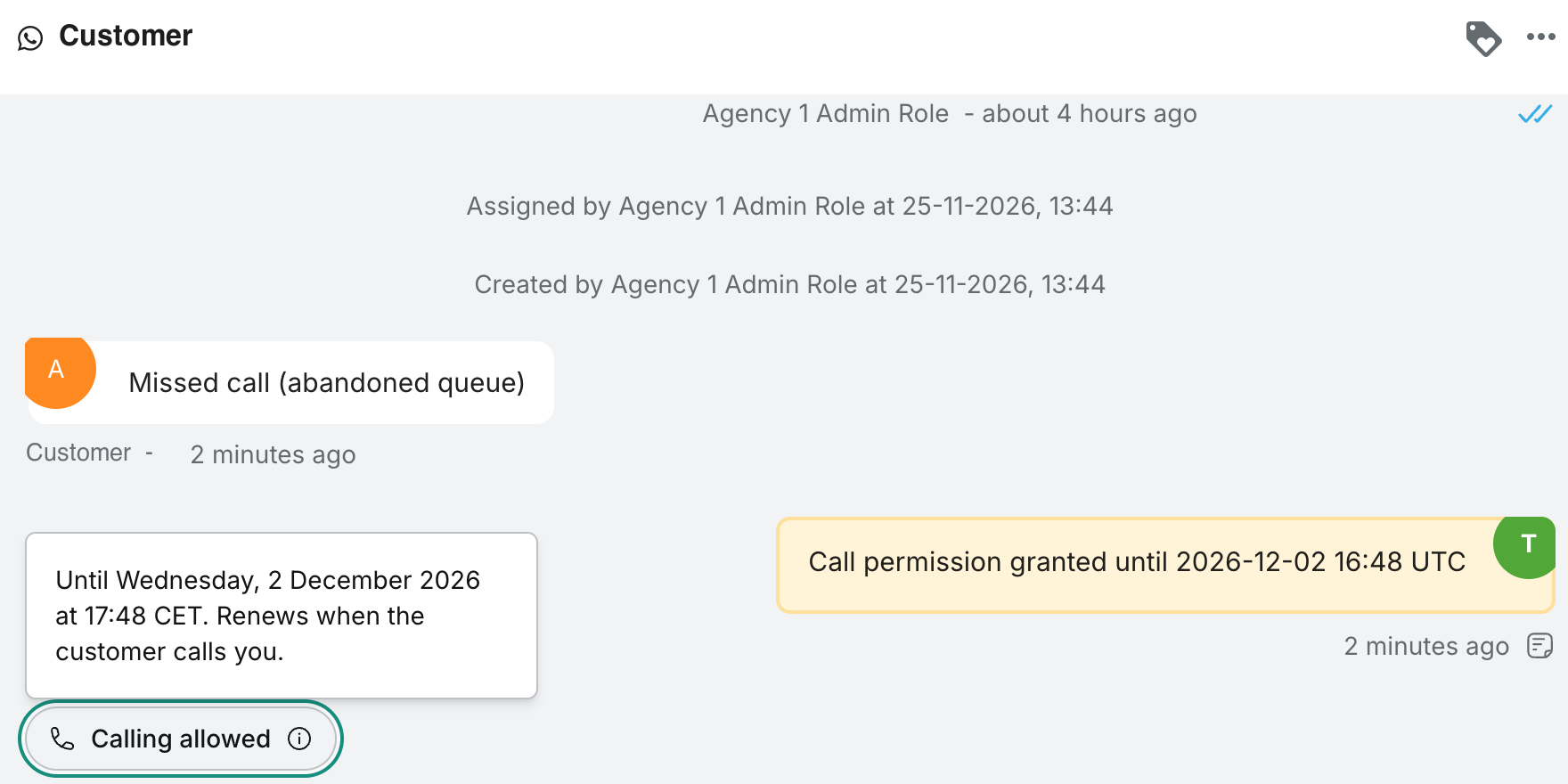
Their answer appears on the ticket as an internal note.
What the status means
- Calling allowed: you can call. Permission either never expires, or lasts until the date shown. A temporary permission renews when the customer calls you.
- Call request sent: waiting for the customer. A request expires after 7 days without an answer.
- Permission declined: the customer said no to calls from this number.
- No permission: the customer hasn't allowed calls from this number.
Limits
- Requests: you can ask the same customer once a day and twice a week. When you reach the limit, Trengo shows when you can ask again. Any connected call with the customer resets these limits.
- Calling back: when a customer calls you, even if nobody answers, you can call them back for 7 days without asking.
- Unanswered calls: if a customer doesn't answer two of your calls in a row, WhatsApp asks them whether they still want your calls. After four unanswered calls, their permission is removed.
- Costs: each request is billed like any other WhatsApp template message.
Related articles

