






Team Supervisor
This role gives you supervisor-level control, but scoped to only the team or teams you own. It's built for organisations where different leads run different teams and each should manage their own people, conversations, and settings without seeing or changing everyone else's.
Think of it as a "Supervisor for my team." A regular Supervisor manages the whole workspace; a Team Supervisor manages just the teams they're set as owner of.
Who it's for
- Team leads and shift managers responsible for a specific team
- Larger or multi-department accounts that want to delegate day-to-day management without handing out workspace-wide access
What a Team Supervisor can do (within their own teams)
- Inbox: assign, reply, close, reopen, create, merge, download and delete conversations, and view the ticket sidebar
- Team management: manage the members of their team(s) and (where enabled) users
- Automation & setup: manage rules & auto-replies, quick replies, labels, views, custom fields, ticket results, and AI Agents
- Broadcasts: send and manage broadcasts
- Contacts: view contacts
- Business setup: manage business hours and locations
What's configurable by an administrator
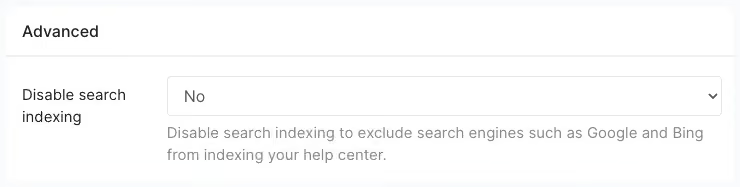
An admin can switch these on or off for the role: managing teams, managing users, managing channels, inbox settings, help center, and deleting contacts/profiles.
What a Team Supervisor cannot do
- See or manage teams they don't own (their view is limited to their own team's conversations, contacts, channels, and members)
- Manage roles or assign the Administrator role
- Edit company profile / workspace-wide settings
How the role is assigned
An administrator assigns the Team Supervisor role and sets the user as owner of the relevant team(s). A Team Supervisor can manage lower roles within their own teams but cannot promote anyone to Administrator.
Team Supervisor vs Supervisor vs Administrator
A quick reference for what each role can see and do in Trengo.
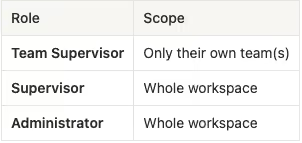
Scope
Permissions
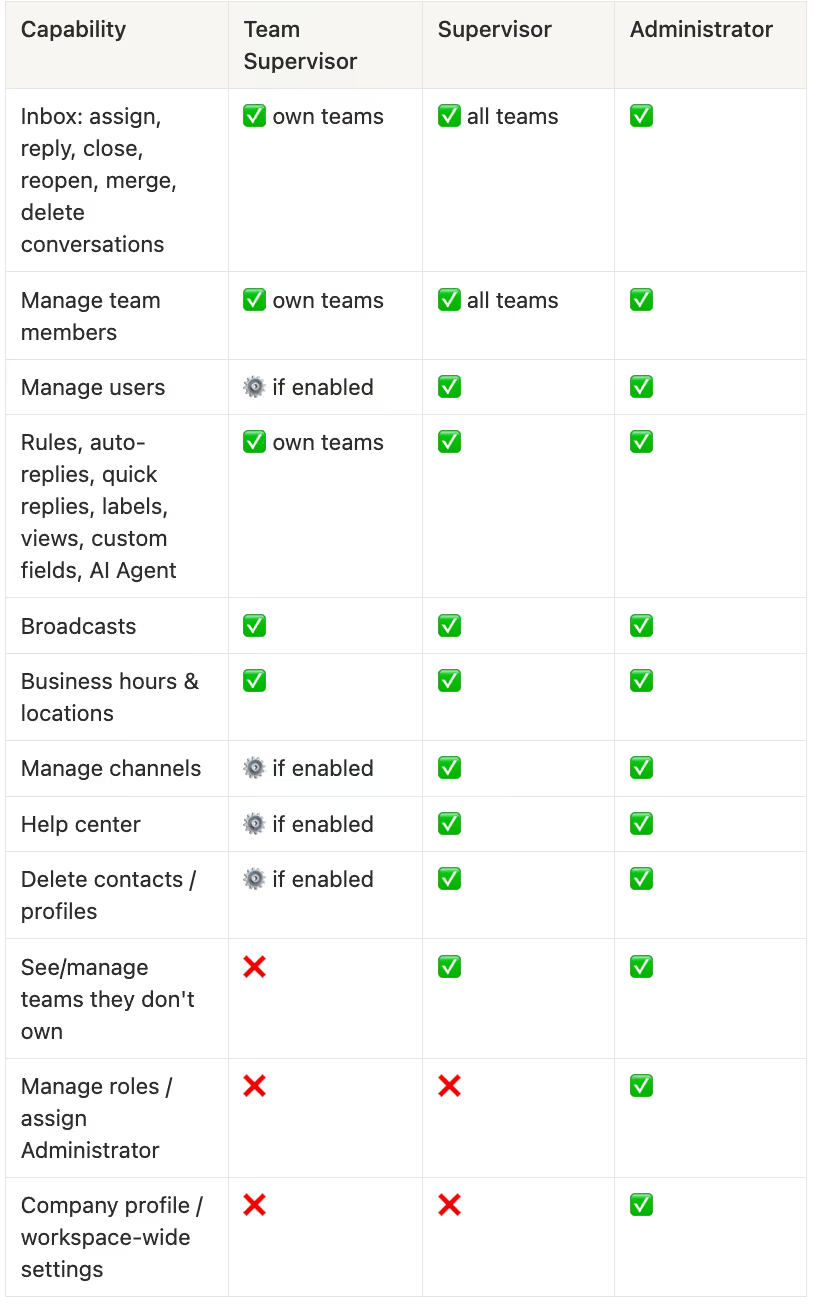
Legend
- ✅ = yes
- ❌ = no
- ⚙️ = admin-configurable, depending on the role's settings

