By sending out customer satisfaction (CSAT) surveys, you enable your customers to rate their experience with your service. In this article, we’ll show you how to set up a CSAT survey.
Adding a CSAT survey
Follow the steps below to add a customer satisfaction survey to your Trengo account.
2. Click ‘Add new survey’, give your survey an internal name, and further set it up.
Survey text
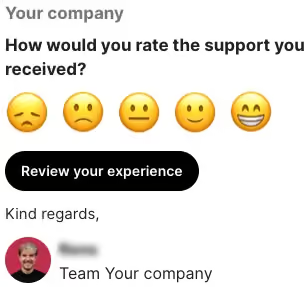
First, you’ll configure what the actual message looks like that customers receive, wherein you ask them to review their experience with your company.
Follow the steps below to set up your survey text.
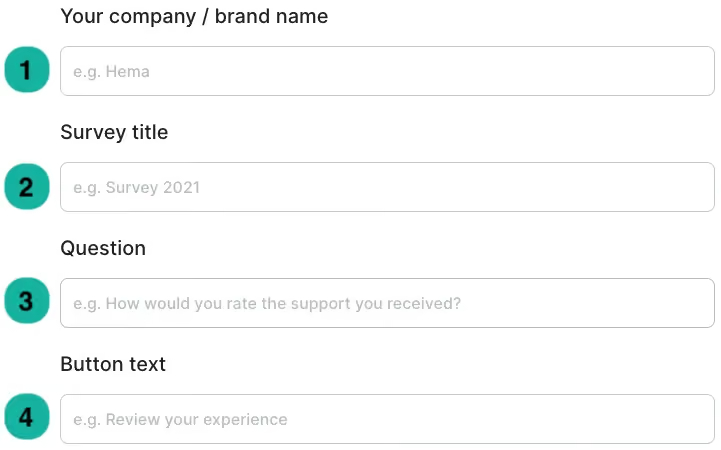
1. Your company / Brand name: Add the name of your company, which will be displayed on top of your survey, and in the signature.
2. Survey title: Give your survey a title.
3. Question: Add the question that you’d like to ask your customer, which will be displayed in bold text above the emojis.
4. Button text: The text in the button your customers click to be redirected to the actual survey.
Follow up question
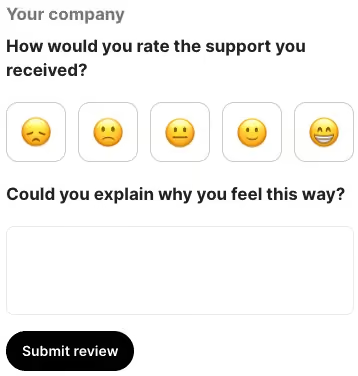
When your customer clicked the button in your first message, they’ll be redirected to the follow-up, where they can leave their actual review.
Add the follow-up question and move on to the next step.
Thank you message
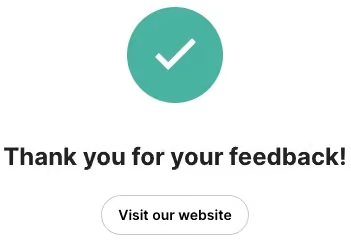
After giving their review, customers are redirected to your ‘thank you’ message, to which you can also add a button with an URL attached to it.
Set up your ‘thank you’ message as stated below.
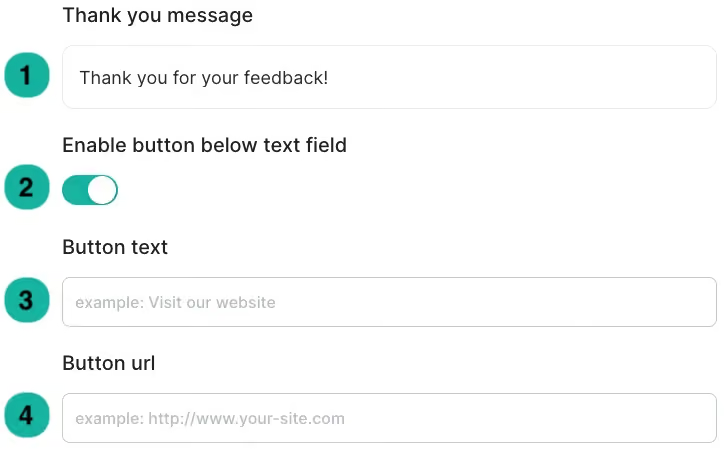
1. Thank you message: Add the text your customer will see after filling out their survey.
2. Enable button below text field: Enable this feature to add a button to the page.
3. Button text: Add the text displayed on the button.
4. Button URL: Add the URL your customers will be redirected to when clicking the button.
When you’ve set up all of the above, it’s time to set up a rule, that will trigger the CSAT to be sent out when the customer conversation has met your conditions. Please continue to the next page to learn how to set up this rule.
Let’s automate your customer communication flow, by adding a flowbot to your Trengo inbox. In case you’re not familiar with the use of flowbots, feel free to read more about the anatomy of a flowbot in Trengo.
Add a flowbot
If you like to add a flowbot to Trengo, feel free to follow the steps below.
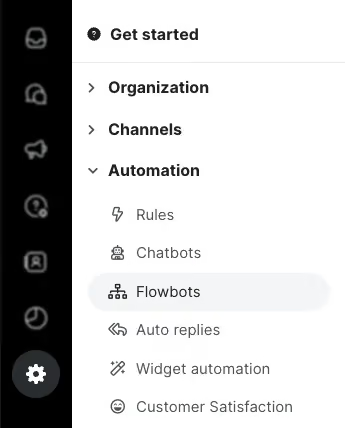
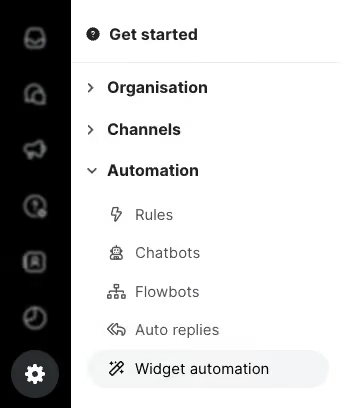
1. Navigate to Settings > Automation > Flowbots and click the ‘plus’ icon or ‘Add flowbot’;
2. Design your flowbot;
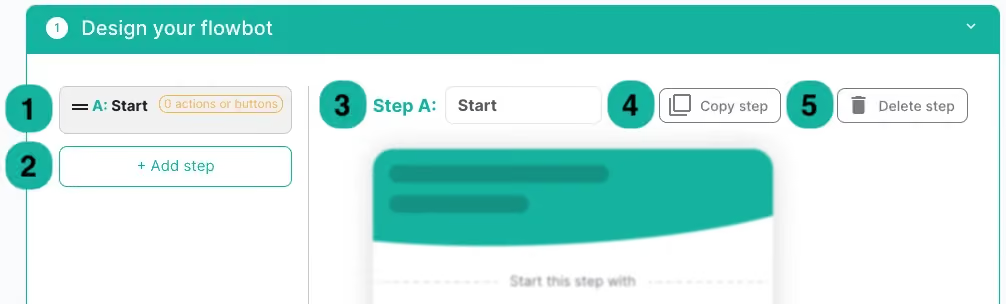
1. Steps overview: Here you’ll find an overview of all the steps you added.
2. Add step: Click this button to add a step to your flowbot.
3. Step #: The name of the selected step.
4. Copy step: With this button, you can duplicate the step.
5. Delete step: Delete your selected step.
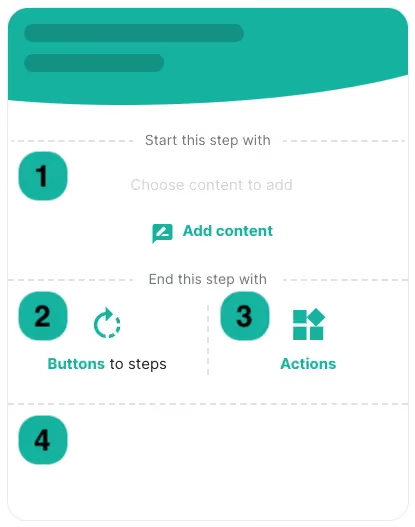
1. Add content: Here you can add content to your step.
2. Buttons to steps:Add buttons to the selected step.
3. Actions: Click here to add actions to your flowbot step.
4. Step overview: Here you’ll find an overview of the buttons or actions you’ve added to the step.
When you’re done designing your flowbot, including content, buttons, and actions, it’s time to configure your flowbot.
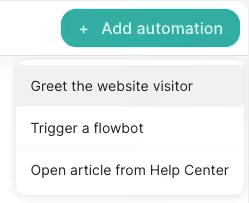
2. Select ‘Add automation’ and click ‘Greet the website visitor’;
3. Set up your greeting;
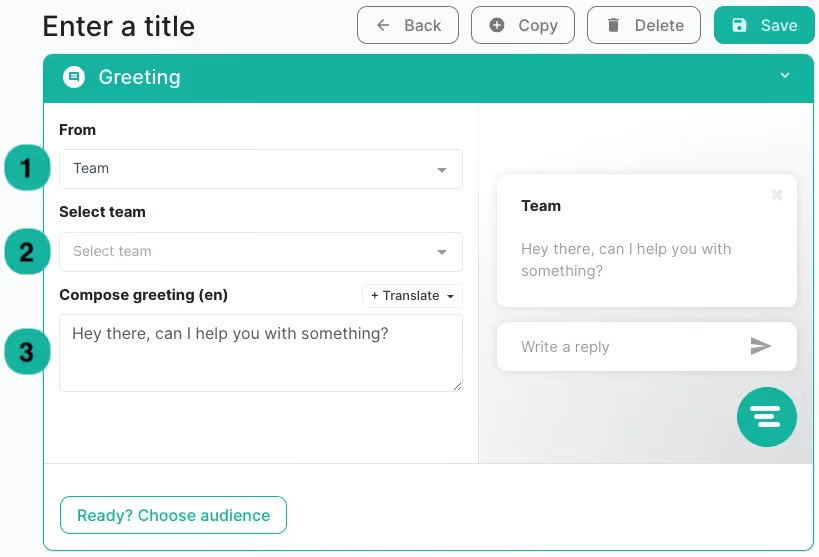
1. From: Choose who will greet your customers. You can choose ‘Team’, ‘User’, ‘Random user from team’, or set up a custom greeting.
2. Select team/user: Select your team or user, or set up your custom greeting.
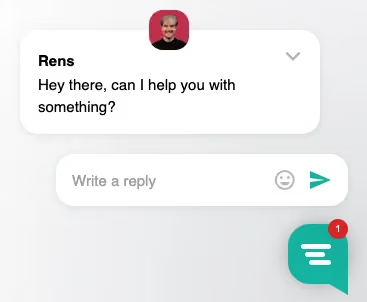
3. Compose greeting: Add the text your customer will see when the greeting shows.
After setting up your greeting, continue by clicking ‘Ready? Choose audience’.
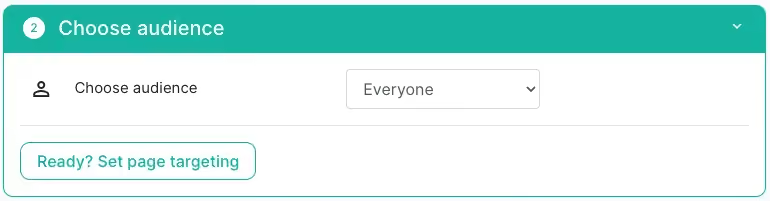
Choose the target audience for your web widget greeting. You can choose to show the greeting to all customers, or choose a specific audience using different conditions.
After choosing your target audience, click ‘Ready? Set page targeting’ to continue setting up your page targeting.
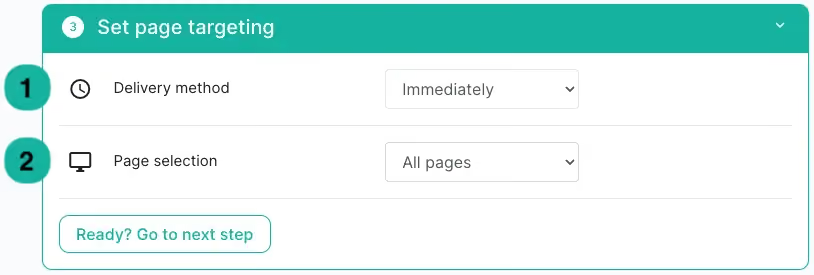
1. Delivery method: Choose if you’d like the greeting to show up immediately, or after a specific amount of time.
2. Page selection: Select which pages you’d like to show the widget greeting on.
After choosing your page targeting, click ‘Ready? Go to next step’ to publish your widget automation.
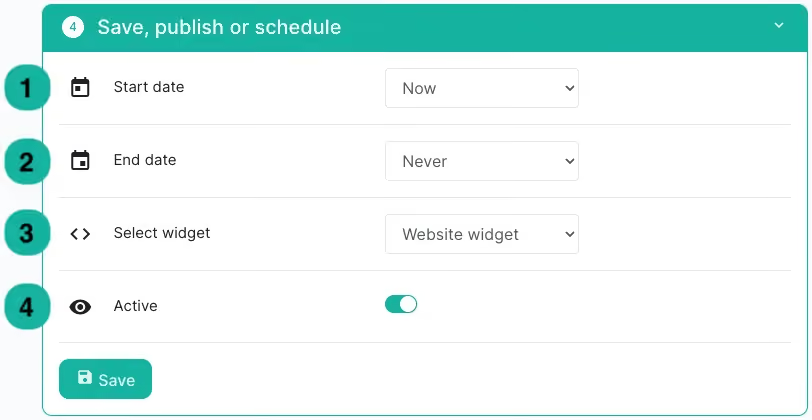
1. Start date: Choose when you’d like the greeting to start showing on your website.
2. End date: Select if there is an end date to your widget greeting.
3. Select widget: Choose the web widget on which the greeting will be active.
4. Active: Toggle this button to activate your widget greeting.
After creating your own help centre via Trengo and adding content to it, you’re able to have your articles show up in Google and Bing search results. In this article, we’ll show you how to do this.
Enable search results
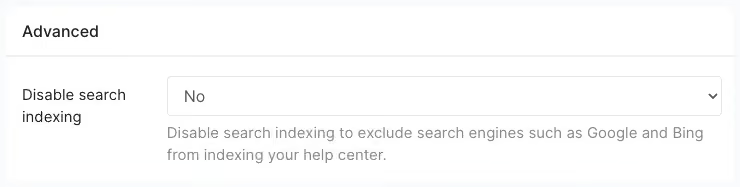
Follow the instructions below to have your articles show up as Google and Bing search results.
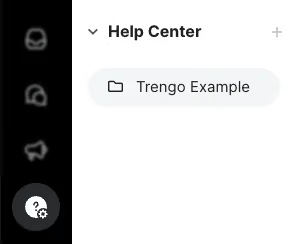
1. Navigate to Help Centre and select your help centre;
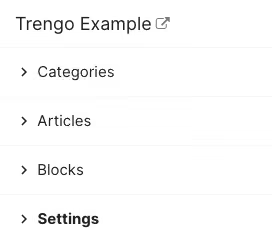
2. Select ‘Settings’ and scroll down to ‘Advanced settings’;
With Trengo, you’re able to host your own help centre to help your customers find answers to their questions quickly, and with that take pressure off your customer support team so that they can focus more on incoming queries. In this article, we’ll show you how to add a help centre to your Trengo account.
Add a help centre to your Trengo account
Follow the instructions below to add a help centre.
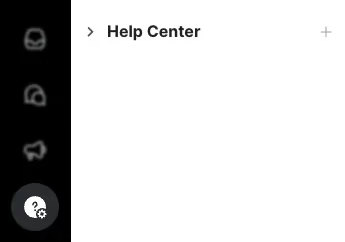
1. Navigate to Help Centre and click the ‘plus’ icon or ‘Add Help Centre’;
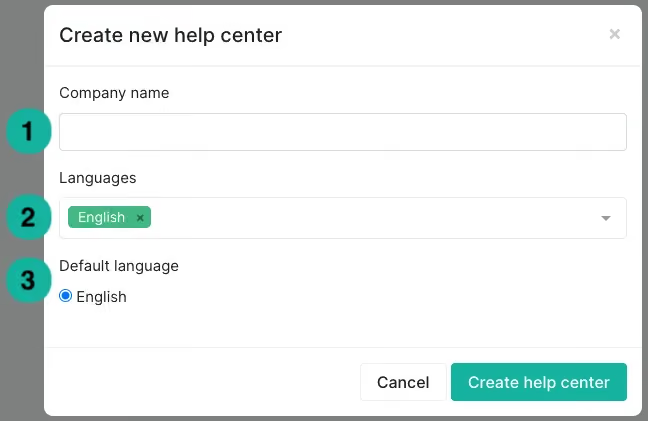
2. Create your help centre;
1. Company name: Add your company’s name.
2. Languages: Choose the language(s) you’d like your help centre in. Do note that articles will not be translated automatically.
3. Default language: In case you added multiple languages, choose the default language of your help centre.
Click ‘Create help centre’ to add the help centre to your account.
By adding your help centre to your web widget, you're allowing your site visitors to quickly find the answers they are looking for, before reaching out to you. In this article, we’ll show you how to do this.
Add a help centre to your web widget
You can add your Trengo help centre to your web widget by following the steps below.
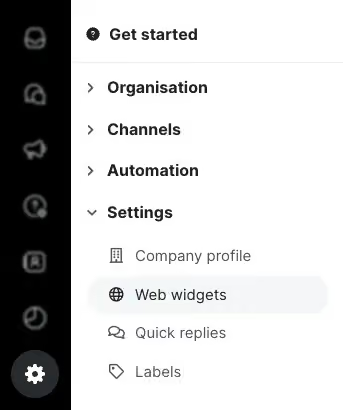
1. Navigate to Settings > Settings > Web widgets and select your web widget;
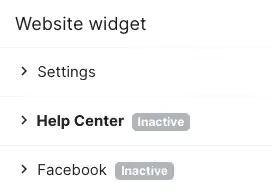
2. Click ‘Help centre’ from the list of possible channels you can add;
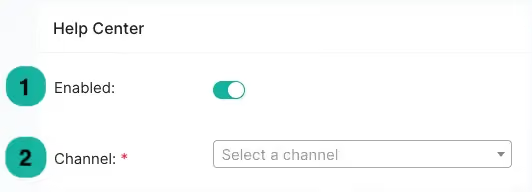
3. Set up your help centre;
1. Enabled: Enable your help centre for the web widget here.
2. Channel: Select the help centre you want to connect to your web widget.
In WhatsApp conversations, Trengo shows reactions and replies sent by your customers, so you can see how they're engaging with your messages. You can also react to messages yourself with an emoji.
Edited messages
If a customer edits a WhatsApp message after sending it, the conversation in Trengo updates to show the edited text.
Reacting to a message
- Hover over any message in the conversation.- Pick one of the quick emojis (👍, 😊, ✅) or open the emoji picker to choose a different one.
- The reaction is sent to the customer on WhatsApp and shown under the message.
- To remove a reaction, click the same emoji again.
Reactions are available on WhatsApp Business channels.
Replies
When a customer replies to one of your specific messages, Trengo displays the original message as a quote above their reply, so you always have the context. Starting a quote-reply to a specific message from Trengo isn't available yet.
Still having trouble?
Not finding the answer to your question? Get in touch with us, and we'll do our best to help you out!