





Instruct your AI Agent
This article explains how to write effective instructions for your AI Agent using the Behaviour and Skills tabs.
Clear instructions ensure your AI Agent responds correctly, takes the right actions, and escalates when needed.
The three layers of instruction
Your AI Agent works with three layers of instructions. Each layer has a specific role:
Layer 1 — Behaviour settings
Defines who your AI Agent is. This applies to every conversation.
- Job description
- Tone of voice
- Company context
Layer 2 — Handover criteria & Additional instructions
These are your default rules. They apply when no Skill is active.
Think of this as your fallback layer.
Layer 3 — Skills
These are process-specific instructions for handling particular situations.
Important: Skills always take priority over all other instructions.
If no Skill applies, Layer 2 is used instead.
Behaviour: define how your AI Agent operates
The Behaviour tab controls how your AI Agent communicates, makes decisions, and handles conversations by default.

Job description
Define the role and responsibilities of your AI Agent.

Best practices
- Be specific about what the AI Agent should handle
- Clearly describe key tasks
Example
"Assist customers with order questions, returns, and product information."
Company context
Provide background information about your business.
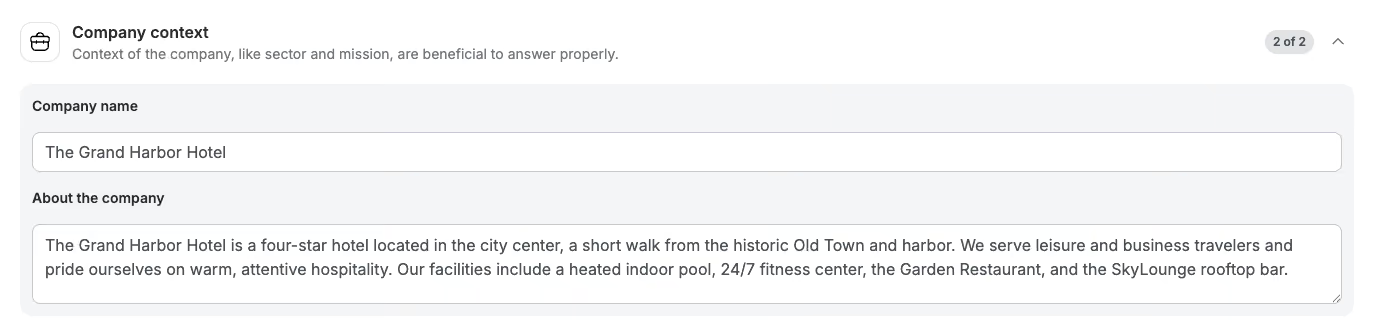
Include:
- What your company does
- Who your customers are
- Your products or services
This helps the AI Agent give more relevant responses.
Tone of voice
Define how your AI Agent communicates.

Best practices
- Be explicit (e.g. friendly, professional, concise)
- Include what to avoid
Example
"Friendly and helpful, but professional. Keep answers concise. Avoid slang or overly casual language."
Handover criteria
Handover criteria define when the AI Agent should escalate a conversation to a human.
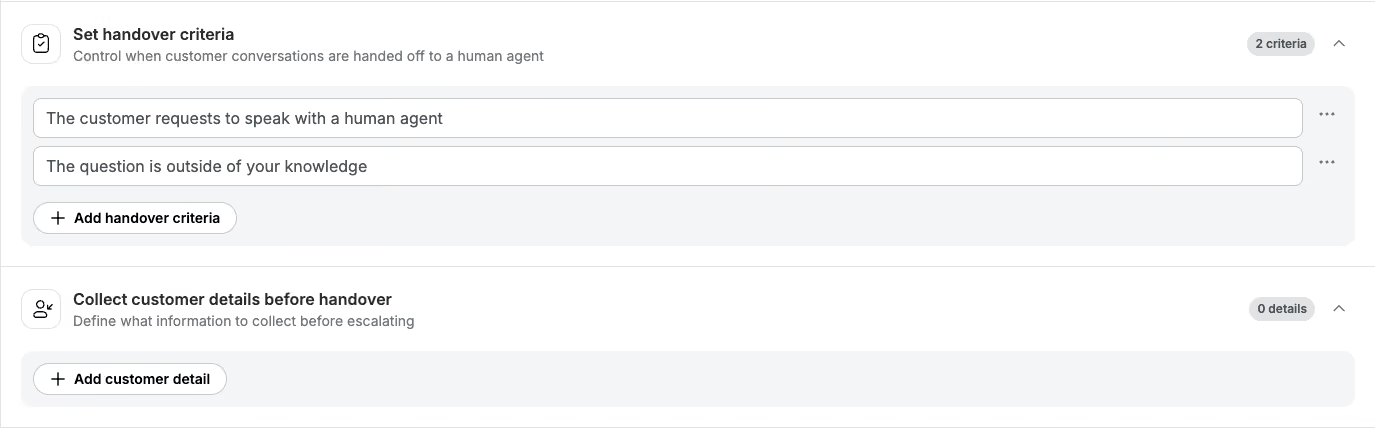
By default, the AI Agent escalates when:
- It cannot answer a question
- The customer asks for a human
You can add additional rules that apply across all conversations.
Examples
- E-commerce: Escalate on payment disputes or chargebacks
- Hospitality (THL): Escalate on safety issues or emergencies
Important: If a Skill defines escalation rules, the Skill takes priority.
Collect customer details before handover
Define what information the AI Agent should collect before handing over.
The AI Agent will only ask for missing information. It won’t ask customers to repeat themselves.
Examples
- E-commerce: order number, email, issue description
- Hospitality: booking reference, guest name, request details
This ensures your team has full context immediately.
Additional instructions

Additional instructions are always-on rules that apply to every conversation.
Use them for general rules, not step-by-step processes.
Examples
- Always address the customer by their first name
- Never promise a refund without confirming the order number
- Do not discuss competitor pricing
- Always ask if there’s anything else you can help with
Important: When a Skill is active, it overrides Additional instructions.
Skills: handle specific situations step by step
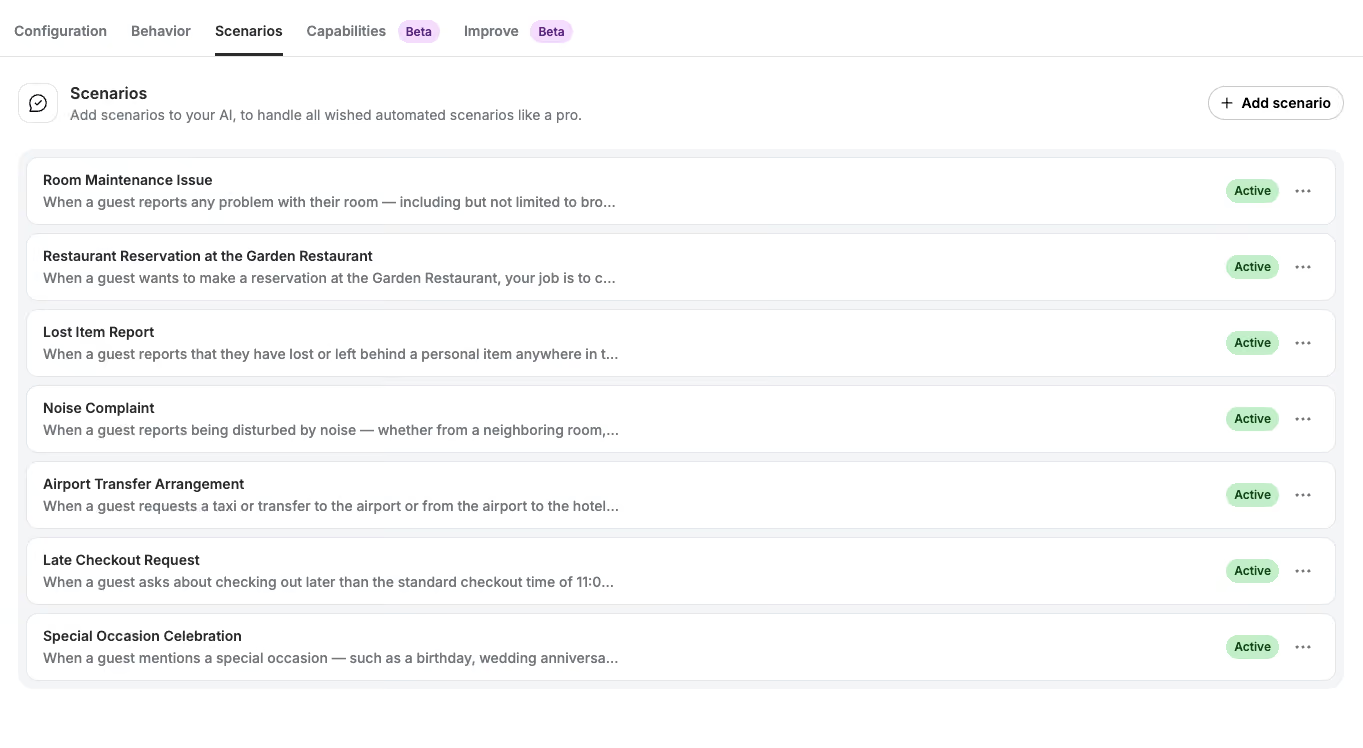
Skills define how your AI Agent handles a specific process from start to finish.
Use a Skill when:
- There are clear steps to follow
- Specific information needs to be collected
- Actions need to be taken (e.g. assign, label, API call)
- There is a defined escalation path
Tip:
Each Skill should cover one complete process. Avoid combining multiple use cases.
Common Skills examples
E-commerce
- Return or refund request
- Damaged or wrong item
- Order status enquiry
- Discount code issues
- Payment disputes
Hospitality (THL)
- Booking modifications
- Cancellations
- Guest complaints
- Late check-in / checkout
- Amenity bookings
How to write a good Skill
A strong Skill includes:
- Trigger — when should the Skill activate?
- Steps — what should happen, and in what order?
- Required information — what should be collected?
- Actions — what should the AI Agent do?
What the AI Agent can do in a Skill
Within a Skill, your AI Agent can take actions in Trengo:
Assign to a team
"Assign the conversation to @Returns Team."
Assign to a user
"Assign to @Sarah."
Apply labels
"Apply the label @damaged-item."
"Apply the labels @refund-requested and @high-priority."
Add internal comments
"Add an internal comment with the order number, issue, and confirmation of photo received."
Use integrations or custom actions
"Use the Shopify Storefront to look up the product and include the price."
"Use the order status action to retrieve the order details."
The AI Agent will only use integrations if instructed or if clearly defined in the action setup.
Using @mentions in Skills
Use the @ button to insert:
- Team members (e.g. @Sarah)
- Teams (e.g. @Returns Team)
- Labels (e.g. @damaged-item)
This avoids errors and ensures consistency.
Worked example — damaged item (e-commerce)
When a customer reports a damaged item:
- Apologize and acknowledge the issue
- Ask for a photo and order number
- Confirm the damage after reviewing the image
- Add an internal comment with details
- Apply the label @damaged-item
- Assign to @Fulfillment Team
Worked example — cancellation request (hospitality)
When a guest requests a cancellation:
- Ask for booking reference and reason
- Explain the cancellation policy
- Add an internal comment with details
- Apply the label @cancellation-request
- If within 48 hours of check-in, assign to @Sarah
Limits to keep in mind
- Maximum 10 Skills per AI Agent
- Maximum 5,000 characters per Skill
- Skills do not connect or chain together
- The AI Agent only sees the current conversation
- It does not know which Journey it belongs to
When to use what
Use the right instruction type for the right situation:
- Additional instructions: rules that apply to every conversation
- Handover criteria: situations that should always escalate
- Skills: structured processes with steps and actions
Summary
To instruct your AI Agent effectively:
- Use the Behaviour tab to define role, tone, and global rules
- Use Skills for structured workflows and actions
- Use Handover criteria and Additional instructions as fallback rules
Key takeaway: Skills always take priority. The clearer your instructions, the better your AI Agent will perform.

